





New Scryde Launcher: What's Changed and Why
We've updated the launcher — it's no longer just a window for starting the game and checking files, but a full control center for your account: news, shop, personal account, and flexible settings, all in one place. Here's what's where, and why it's more convenient than before.
Two clients in one launcher — OLD and NEW
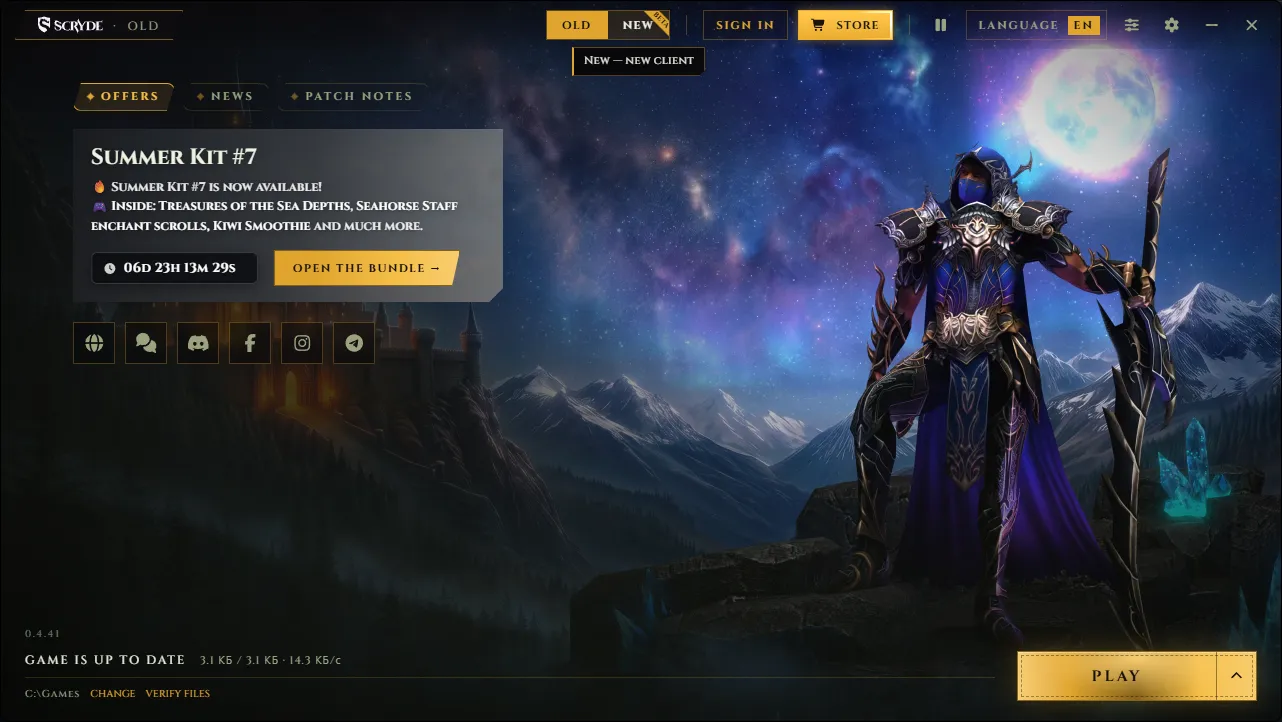
The launcher header now has an OLD / NEW switch.
OLD — the default Scryde client with all its usual features and quirks.
NEW — the new client with updated graphics.
Switching between them happens right inside the launcher, with no need to download anything separately or hunt for the right shortcut — just pick the version, hit "Play," and you're in.
Everything important — right on the main screen
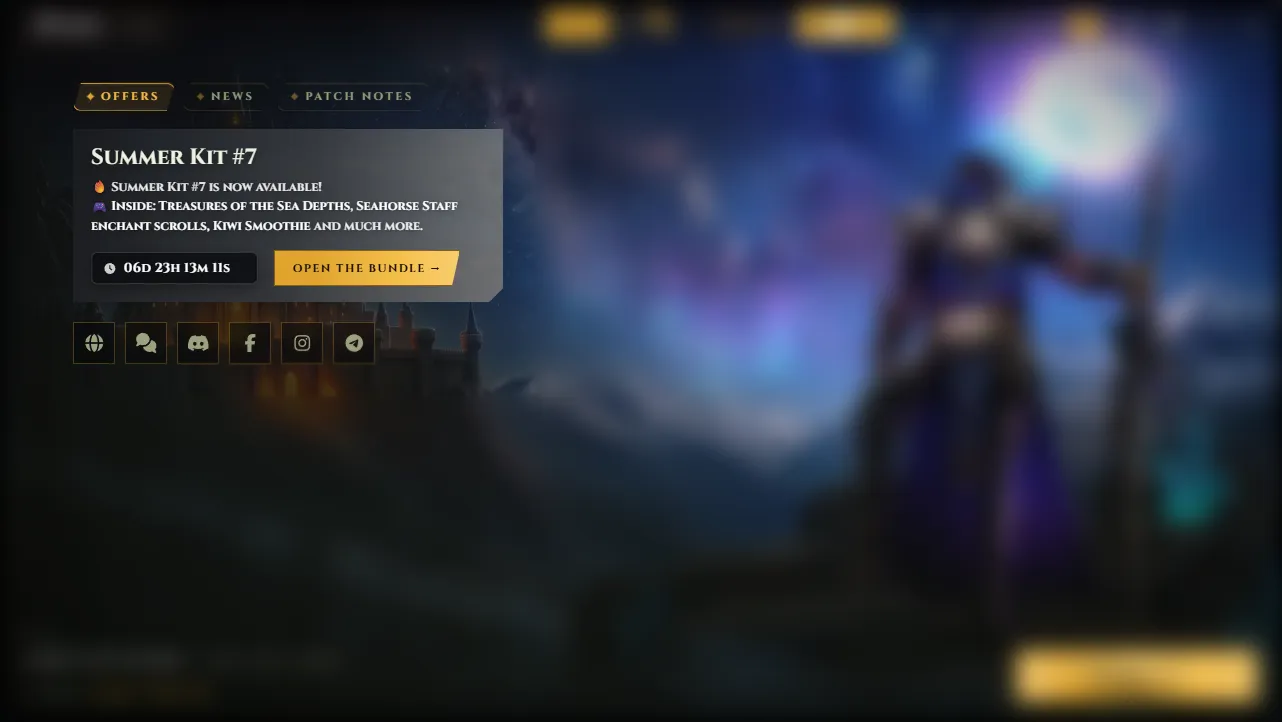
As soon as you launch it, you'll see three tabs:
Promotions — current sales and bundles (for example, a themed bundle with a countdown timer until the offer ends);
News — major project announcements (events, server merges, tournaments) with a short description and a "Read more" button;
Patch Notes — update history with version number, date, and a brief summary of changes.
Previously, you'd have to check the website or Discord for this. Now it's all visible right when you launch the game, so you won't miss anything important.
Account login and personal account
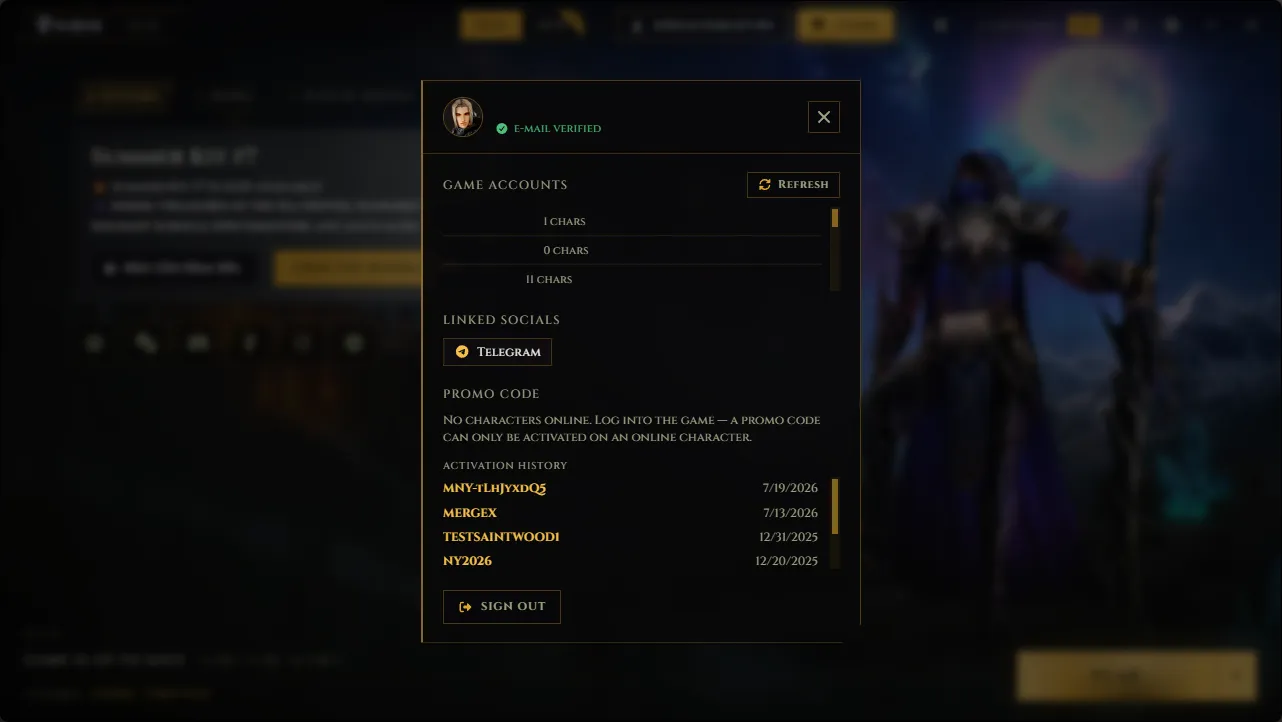
Authorization is now built directly into the launcher:
log in with e-mail and password;
or through social accounts — Google, Yandex, Telegram, Discord, VK, Facebook.
Once logged in, you get access to your personal account, where you can:
see all your game accounts and how many characters are on each;
view linked social accounts;
activate a promo code (important: activation only works on a character that's currently online — simply opening your personal account isn't enough, you need to be in-game);
check the history of all activated promo codes. This is handy if you have several accounts or can't remember which codes you've already used.
Shop — right in the launcher
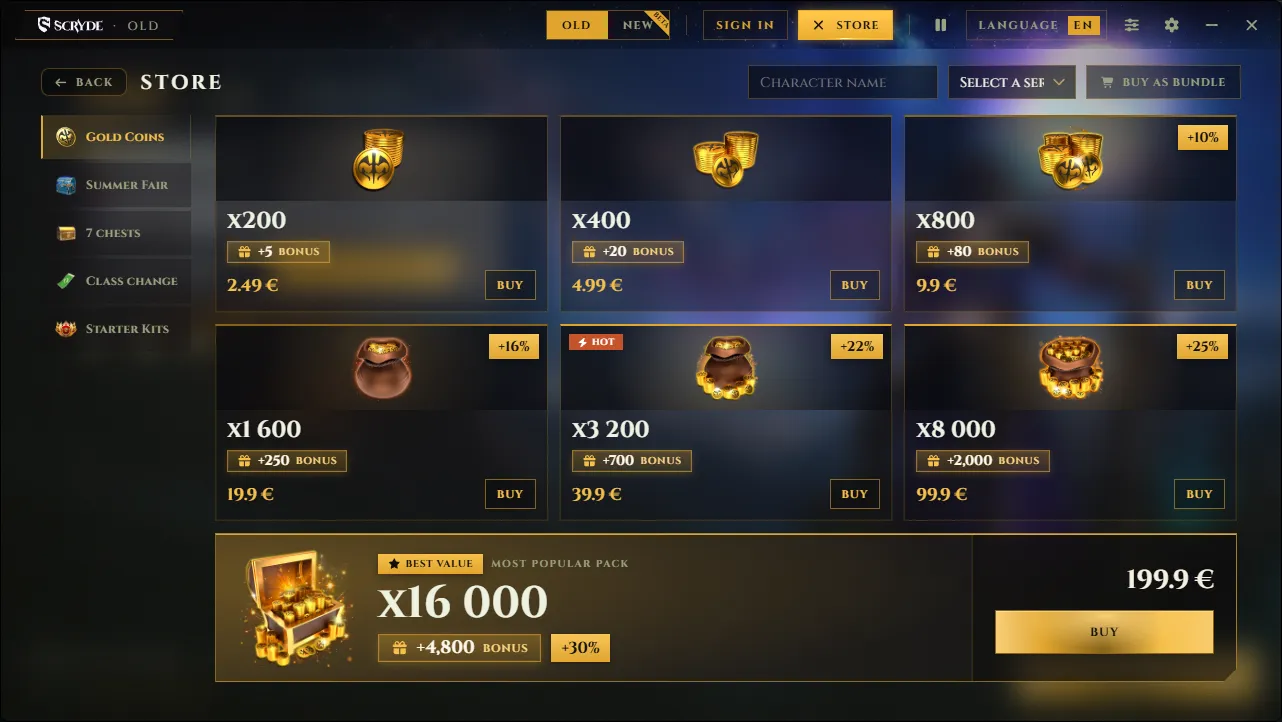
No more visiting the website to top up your balance or buy a bundle — the shop now opens directly from the launcher, in separate sections:
Gold — coin packages with bonuses (the bigger the package, the more bonus coins on top);
Summer Fair;
7 Chests;
Class Change;
Starter Packs.
Before purchasing, you need to enter your character name and server, so the purchase is immediately linked to the right character. If you want to close out several items with a single payment, there's a "Buy as bundle" button.
Launcher settings — tuned to your hardware and connection
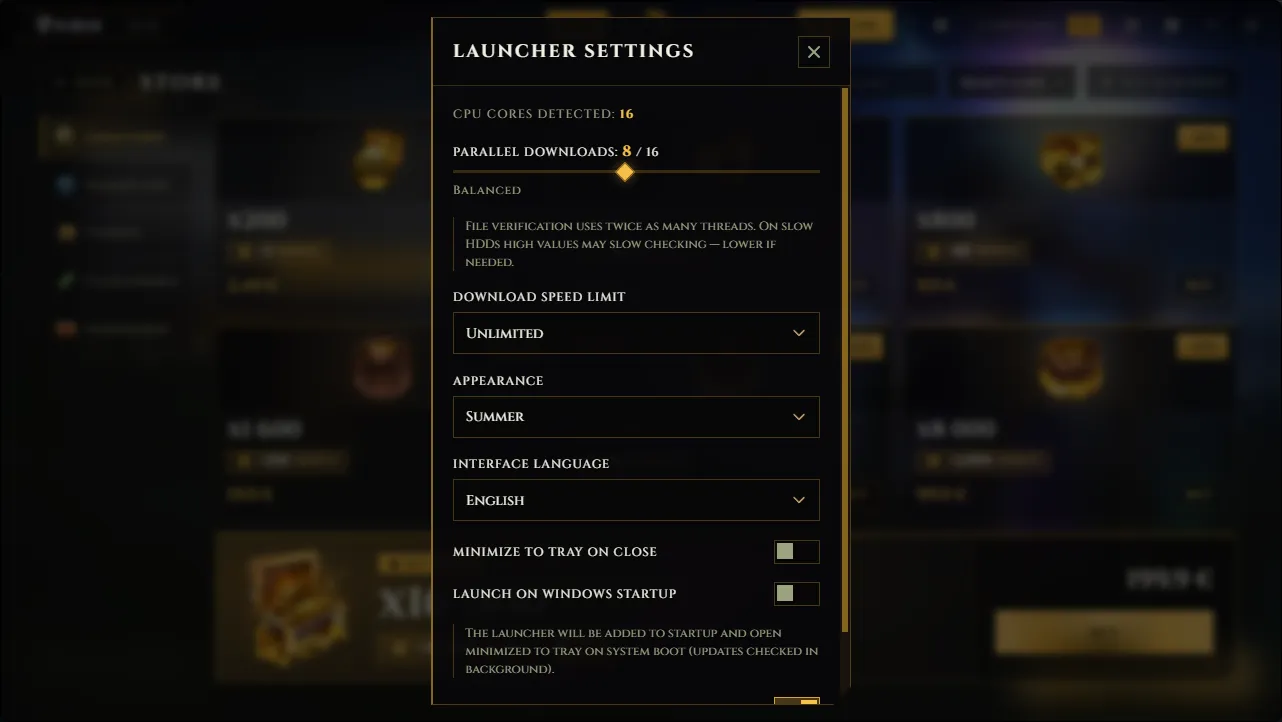
Launcher settings let you tailor its performance to your computer and internet connection:
Parallel downloads — how many CPU cores are used for checking and downloading files. The launcher automatically detects your core count and suggests a balanced value, but you can adjust it manually: on slower HDDs, higher values can actually slow down the file-check process;
Download speed limit — useful if you don't want the game update to eat up your entire internet connection;
P2P download (torrent) — speeds up downloads by sharing files between players;
P2P seeding — lets you share already-downloaded files with other players, speeding up downloads for the whole community;
Theme — the launcher's visual theme (for example, seasonal ones like "Winter," "Summer," and others);
Launcher interface language;
Minimize to tray on close and launch on Windows startup — for anyone who wants the launcher always on hand, checking for updates in the background.
Game settings and launch mode
Next to the "Play" button, there's an arrow that opens the client mode selection:
Normal — the full version with all visual effects;
Lite — a lightweight version for weaker computers.
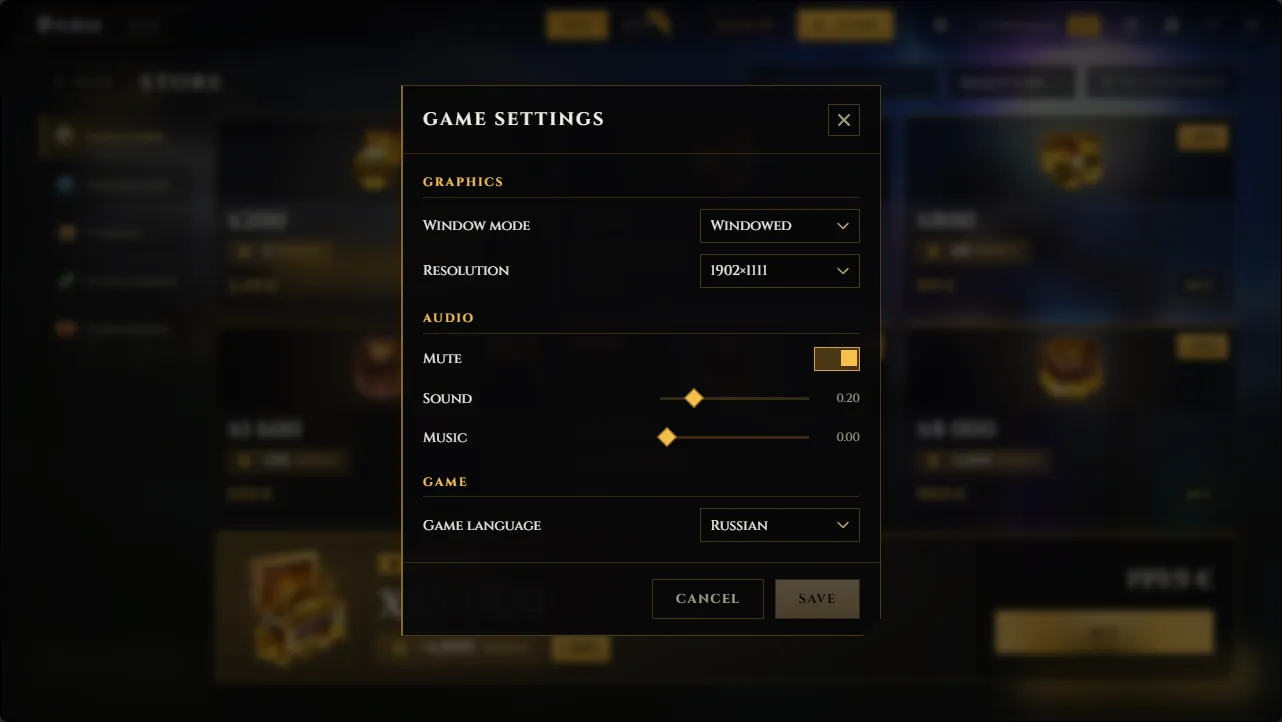
The gear icon in the launcher header also gives you access to the game's own settings:
Graphics — window mode and screen resolution;
Sound — overall volume, separate sound and music sliders, and a full mute option;
Game language.